One client appfor everything you coach.
Everything you give a client in one place: today's session, the plan ahead, and the progress they're making. It all works with no signal at all - a basement gym changes nothing - and it's always free for them, on a phone at the gym or a laptop at home.
- Always Freefor your clients, on every plan
- Offline Readyno signal in the gym? not a problem
- Auto Unitskg or lb, converted for each client
From your invite to their home screen in a few taps
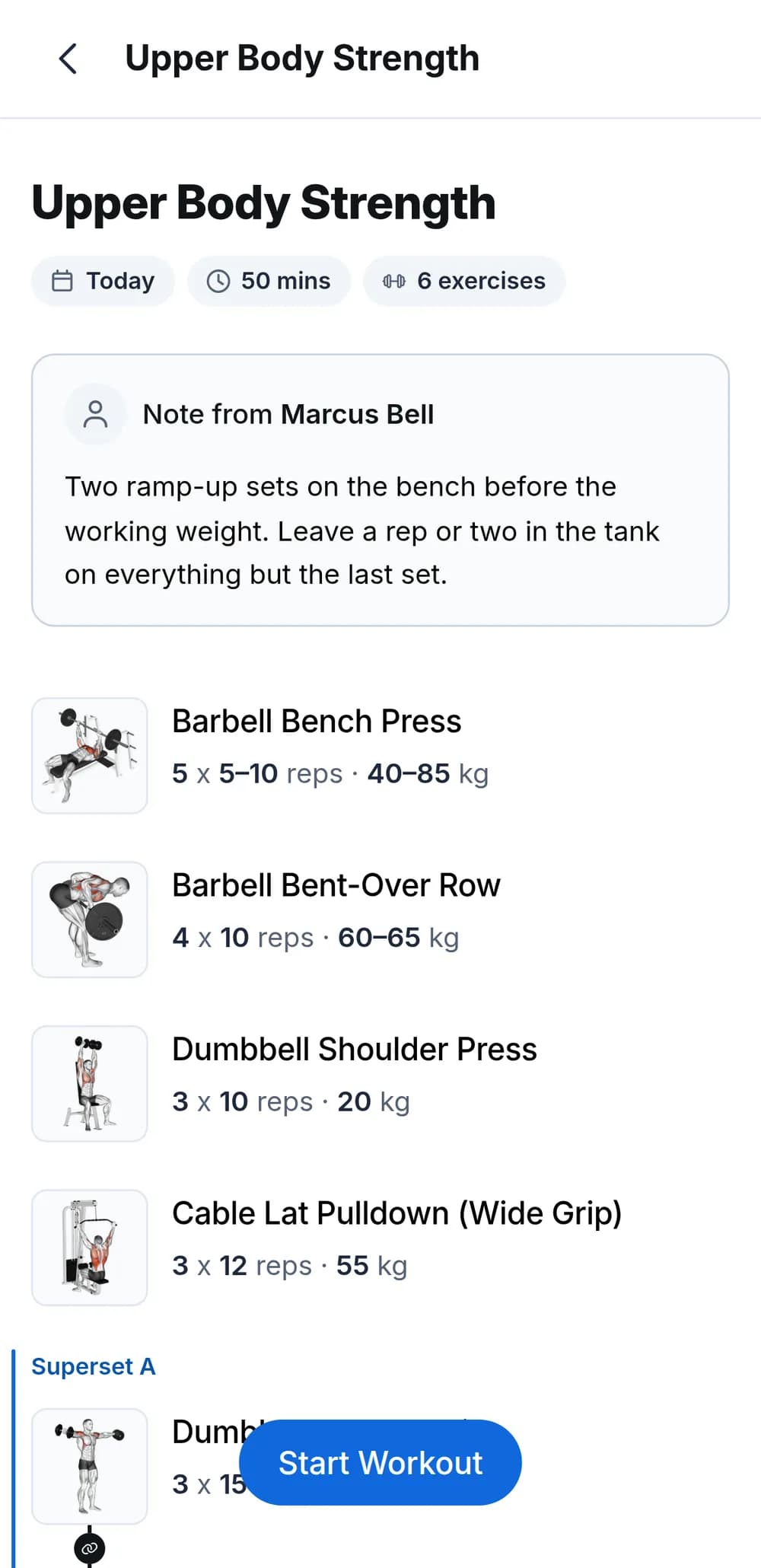
Clients join from your invite, by email or a shareable link, and sign up with Google or an email and password. Guided prompts add the app to their home screen on iPhone and Android, then it opens on their Today view with whatever you have scheduled next.
- No app storeIt installs from the browser as a full-screen app and updates itself - your clients are always on the latest version.
- Invite-onlyThere is no self-serve signup, so the only people in the app are the clients you invited.
- Free for clients, alwaysYour clients never pay for the app, on any plan.
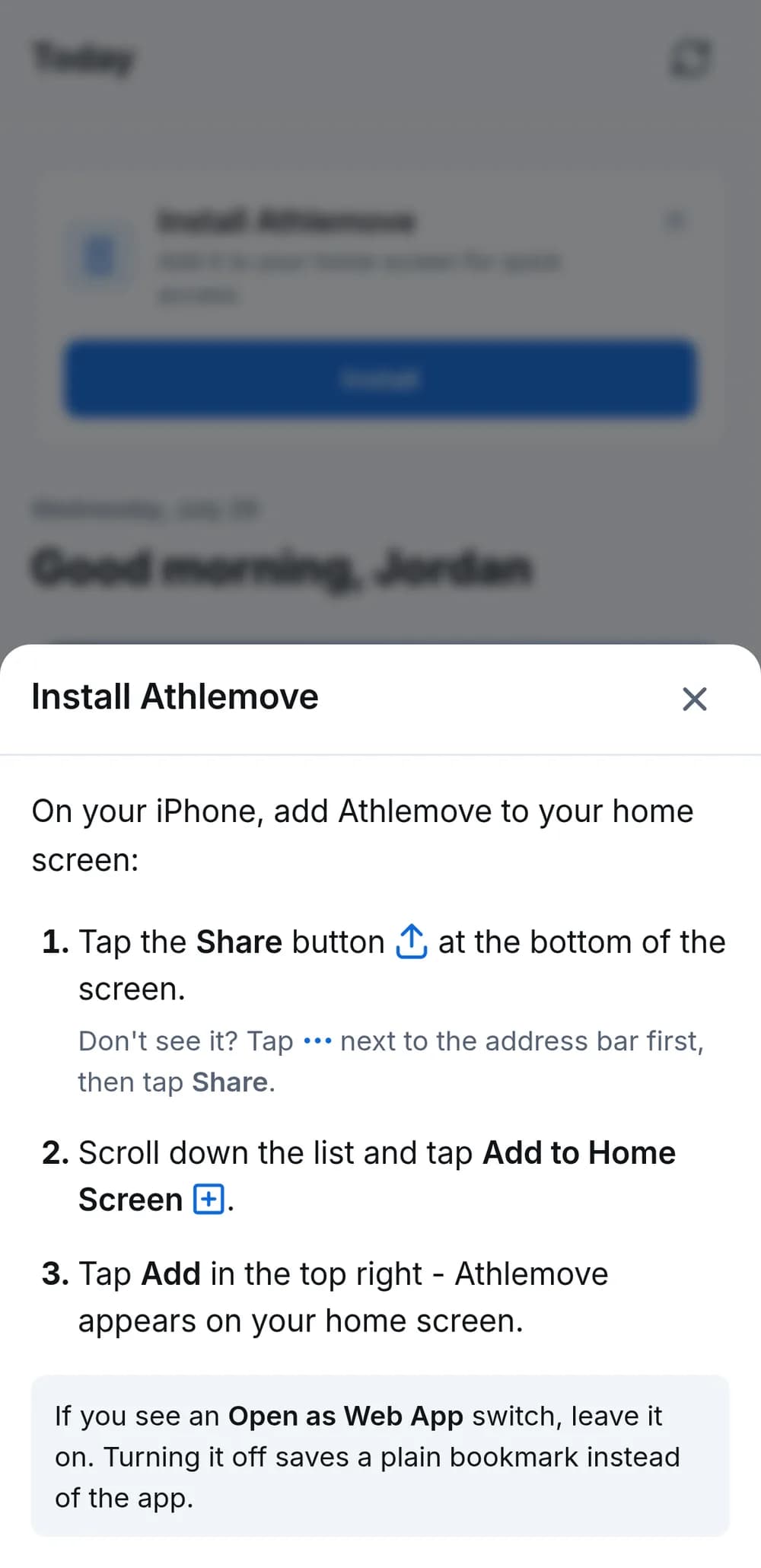
They always know what today's training is
Open the app and the answer is right there: what they're training next, front and center, with the rest of the week under it. No scrolling back through texts, no asking you what they are supposed to be doing today. It opens exactly the same way with no connection at all - the app runs from the device, not the network.
- Works with zero barsToday, the week ahead, the whole program, and every workout in it are already on the phone.
- Guides come tooExercise instructions, muscle maps, and images stay readable offline once the app has loaded them.
- Nothing to rememberNo download button, no sync screen - the app keeps itself current whenever there is a signal.
Simple enough that they actually log it
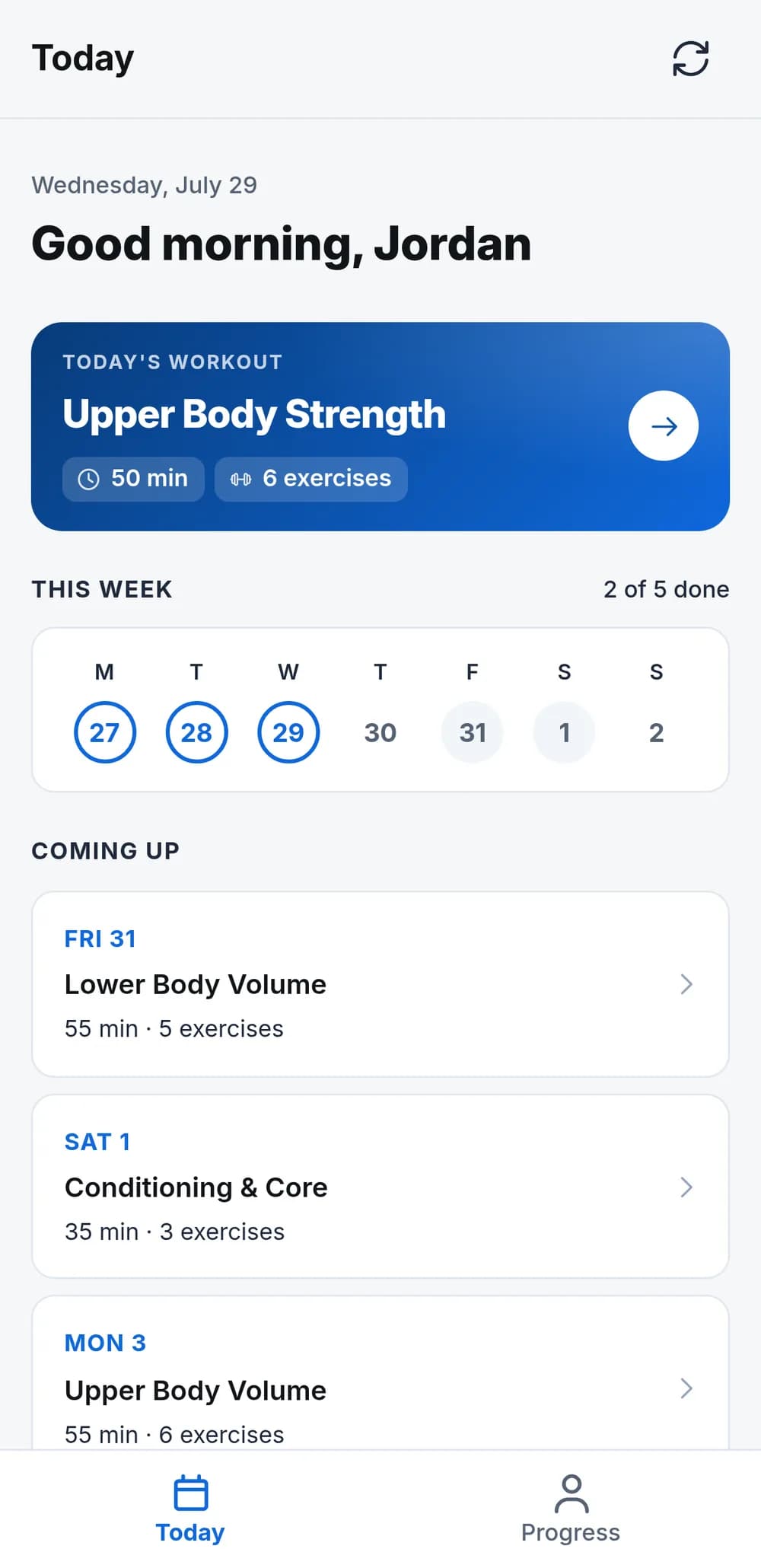
One button logs the set and moves them straight to the next. Every row comes pre-filled with what you prescribed, in their own units, and each exercise asks only for what matters: reps and weight for a squat, time for a plank. Finish, and they get a summary of the whole session.
- Built-in rest timerIt starts on its own with the rest you prescribed.
- Logs offline, syncs itselfEvery set is kept on the device and uploads on reconnect - never lost, never logged twice.
- Resume from anywhereA floating bar brings them back to a session in progress.
Progress your clients can actually see
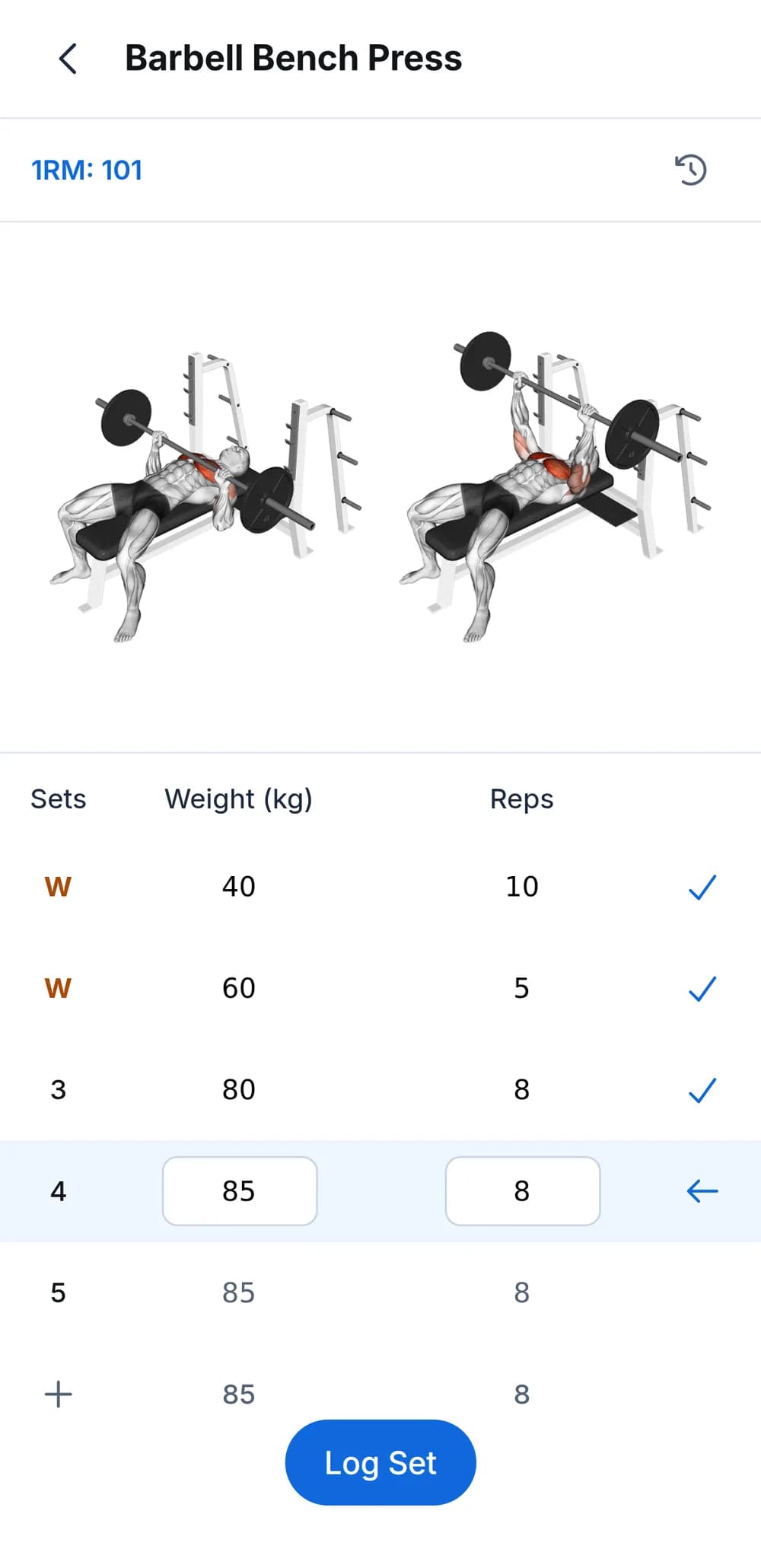
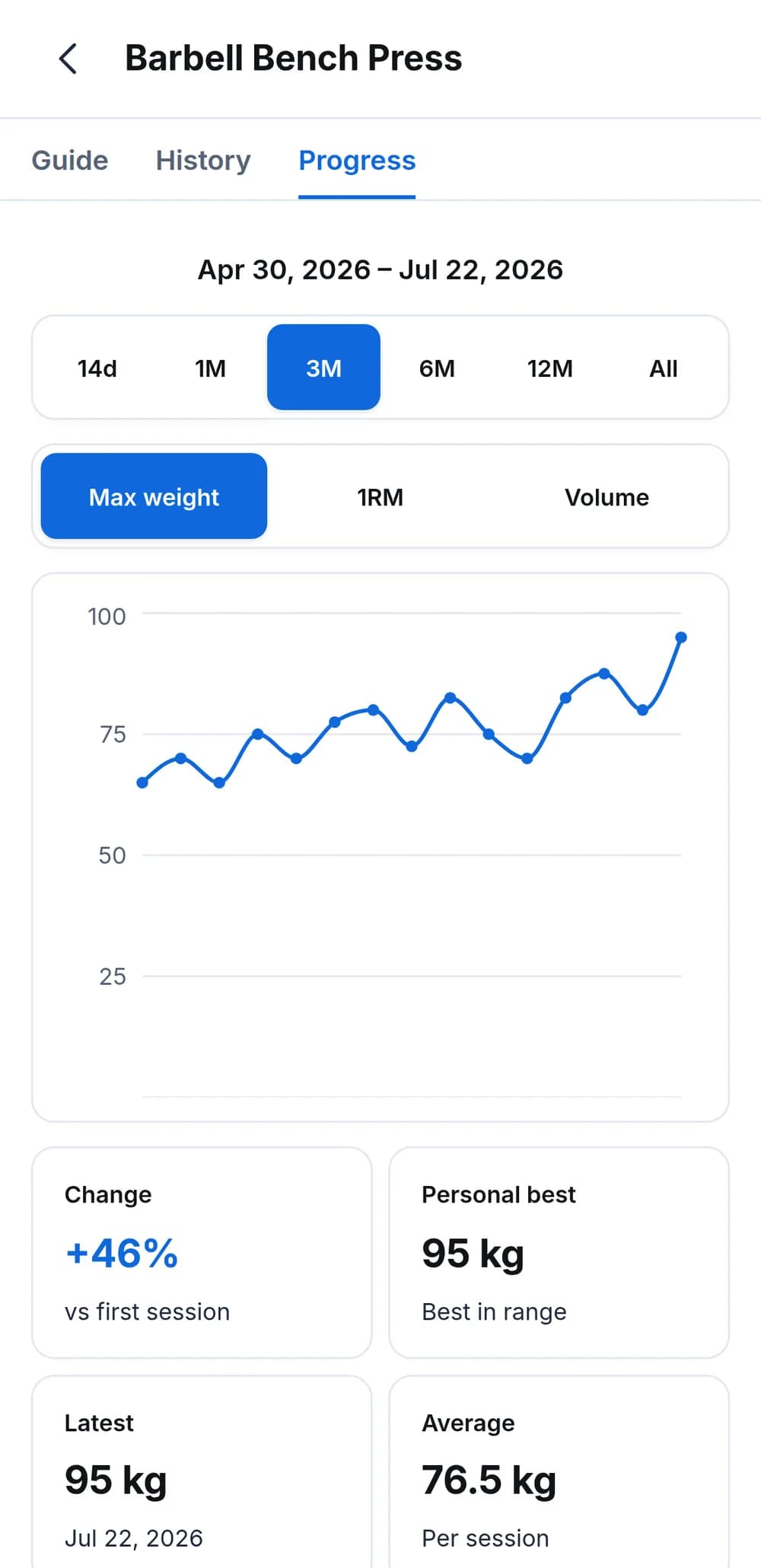
Every exercise gets charts for max weight, estimated 1RM, volume, and type-specific metrics across ranges from 14 days to all time - with personal bests and change stats. A full session history answers "what did I lift last time?" mid-workout - offline too - and every library exercise links to a guide page with instructions and front/back muscle maps.
How it works
- 1
Send the invite link
Invite a client by email or share your link - they sign up with Google or email and are straight into the app.
- 2
They install in a few taps
Guided prompts add the app to their home screen on iPhone or Android - no app store, nothing to update.
- 3
Every set gets logged
Guided logging, a rest timer, and a fully offline app mean the work actually gets recorded - signal or not.
Frequently asked questions
Do my clients download anything from an app store?
No. The app installs straight from the browser after they open your invite link, with guided prompts for adding it to the home screen. That means no store account, no updates to chase, and it works day one - clients are always on the latest version automatically.
Does it work on both iPhone and Android?
Yes. The install prompts guide clients through adding it to the home screen on both iPhone and Android, and the app runs full-screen once installed. It also works in any desktop browser.
Do my clients ever pay for the app?
No - the client app is free for your clients, always. Your subscription covers your coaching tools; clients just open your invite and start training. That holds on the Free plan and on Pro alike.
What happens when the gym has no signal?
Nothing changes. The app itself lives on the device, so it opens with zero bars - today's session, the week ahead, the full program, past sessions and progress charts, and the exercise guides and images that go with them are all there. Your client logs the session set by set exactly as normal, and it uploads itself the moment the signal comes back - deduplicated, so it can never be logged twice. They just train; the syncing is invisible.
Can clients log in kg or lb?
Yes. Each client picks their own unit system, and every prescribed weight converts automatically - a program you wrote in kg shows up in lb for a client who prefers imperial.
What do clients need to join?
Just your invite - an email invite or your shareable link - and a Google account or an email and password. There is no self-serve signup, so everyone in the app came from you. Signing up drops them straight into the app, with nothing else to set up.
Does it work on a laptop?
Yes. The client app runs in any desktop browser - same account, same program. Clients who train in front of a laptop can log sessions there just like on their phone.
Explore more features
All featuresCoach your first 5 clients free.
Start with 30 days of Pro - unlimited clients and 500 AI credits. No credit card required.