Your whole rosterfor one flat price.
Your whole roster in one place: training, schedules, notes, and session reviews. Pro is $29 a month with unlimited clients, so your bill stays the same however big your roster gets.
- Unlimitedclients on Pro, no per-client fees, no tiers
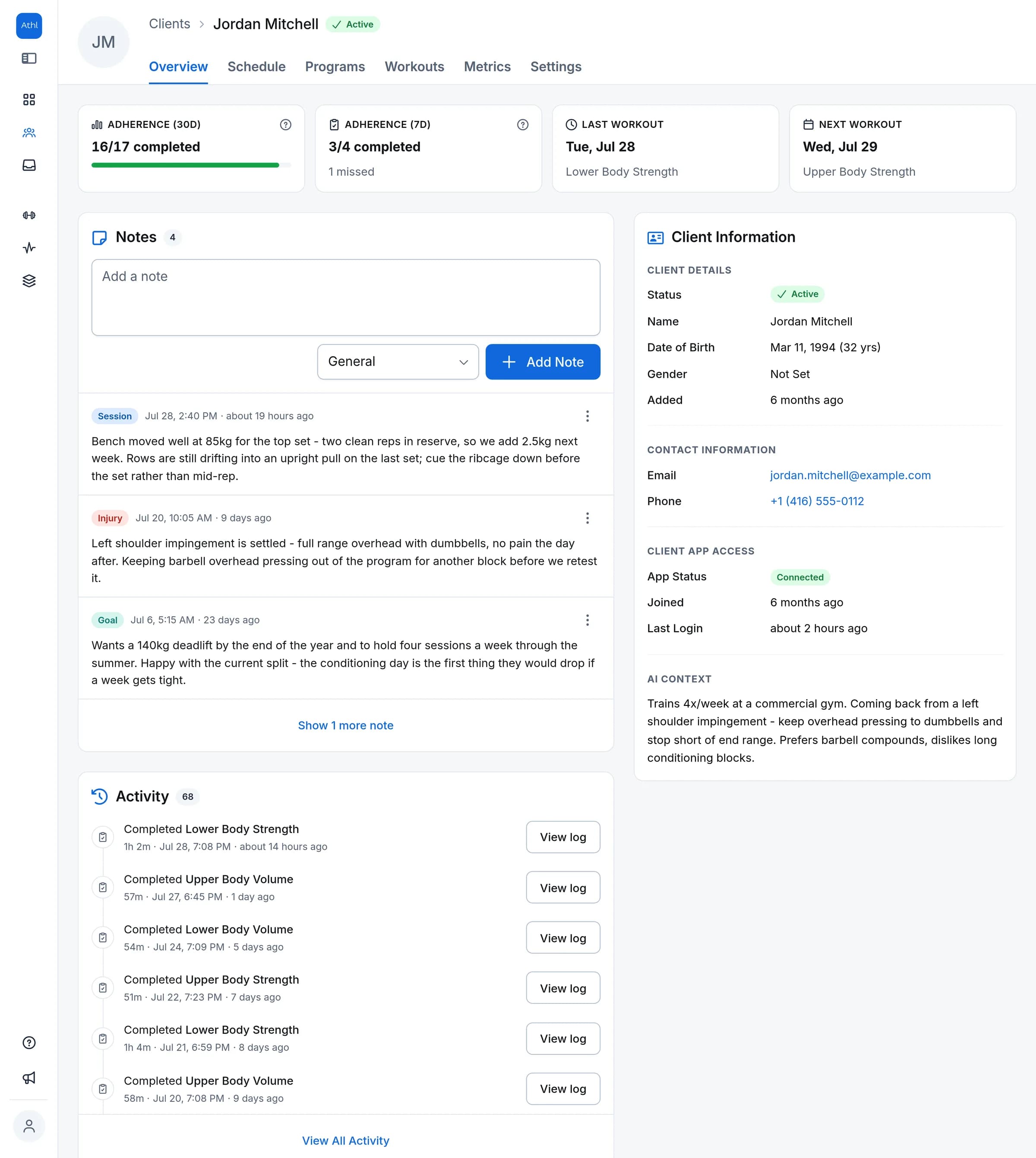
- Training Scheduleknow what every client is training this week
- AI Contextwhat you know about a client shapes what gets generated
Your roster grows. Your bill doesn't.
Per-client pricing quietly taxes growth: every client you sign nudges the bill up, so the roster you worked to build is the thing that costs you more to keep. Pro works the other way round. One flat price, unlimited clients, no tiers to outgrow, whether you are just starting out or fully booked.
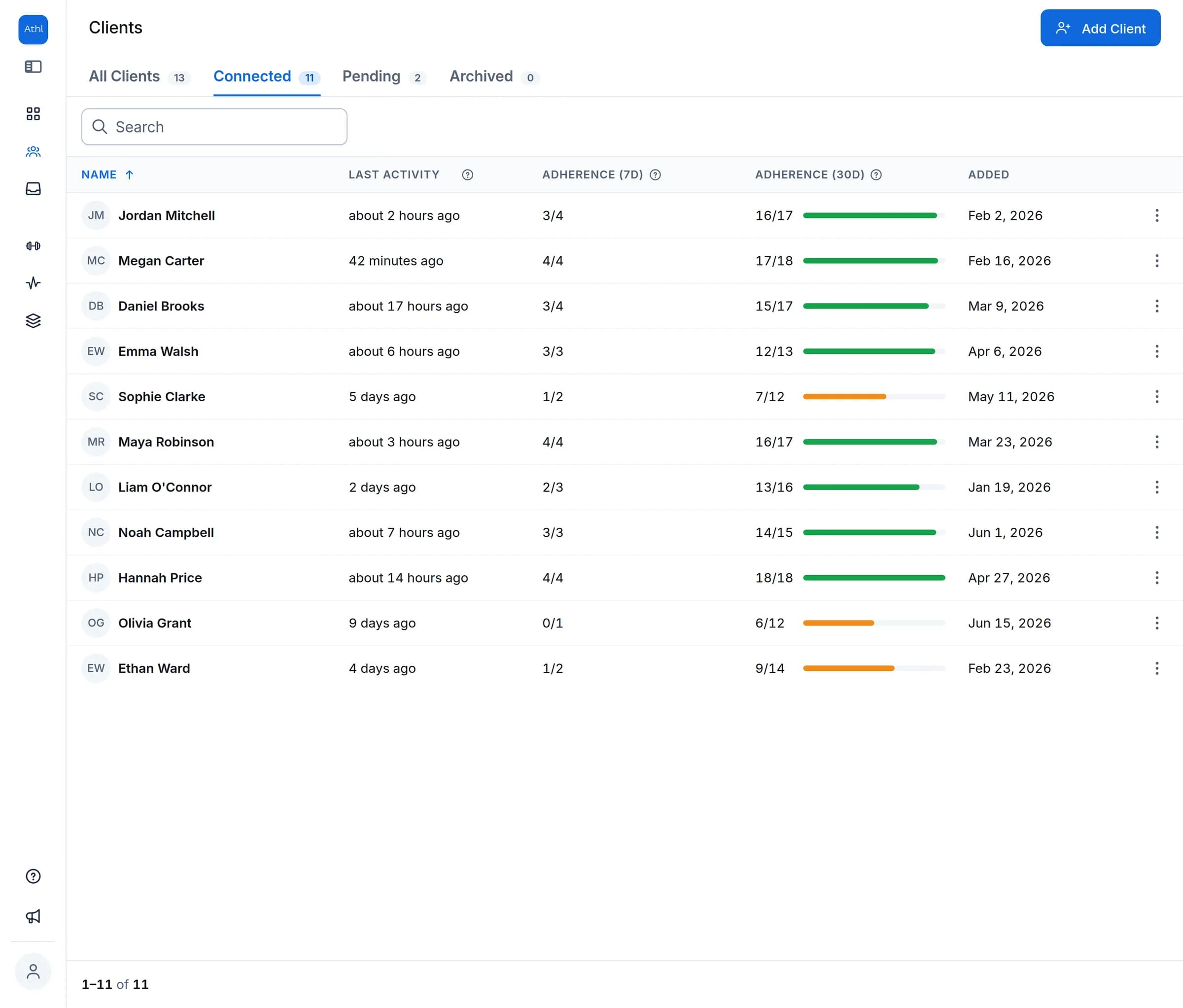
- Everyone in one listActive, pending, and archived clients, without scrolling past people who left.
- Know who has actually joinedSee who is training and who is still sitting on an invite you sent.
- Archiving keeps the historyA client who moves on keeps their notes and sessions, just off your active roster.
Invites that onboard clients for you
Invite a client by email or generate a shareable link, whichever fits the conversation. Links are secure and expire after 7 days, and you can resend or cancel anytime. Your client signs up with Google or email and lands in their own training app, free for them, always.
Every client's week, laid out on a calendar
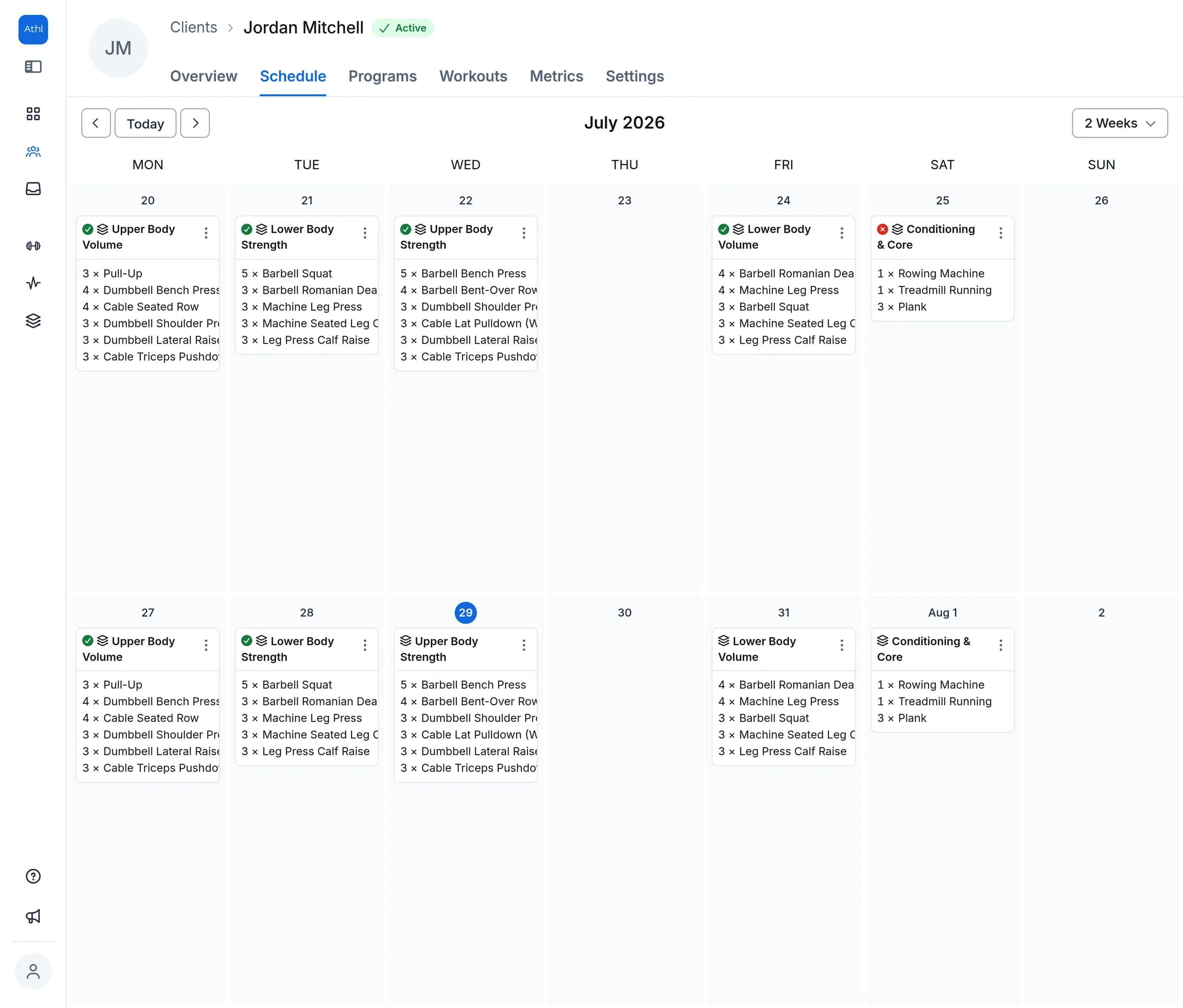
Each client has their own training schedule, viewed one, two, or four weeks at a time. Build or assign a workout straight onto a date, drag it to another day when life gets in the way, and see at a glance what got done and what was missed.
See what actually happened, set by set
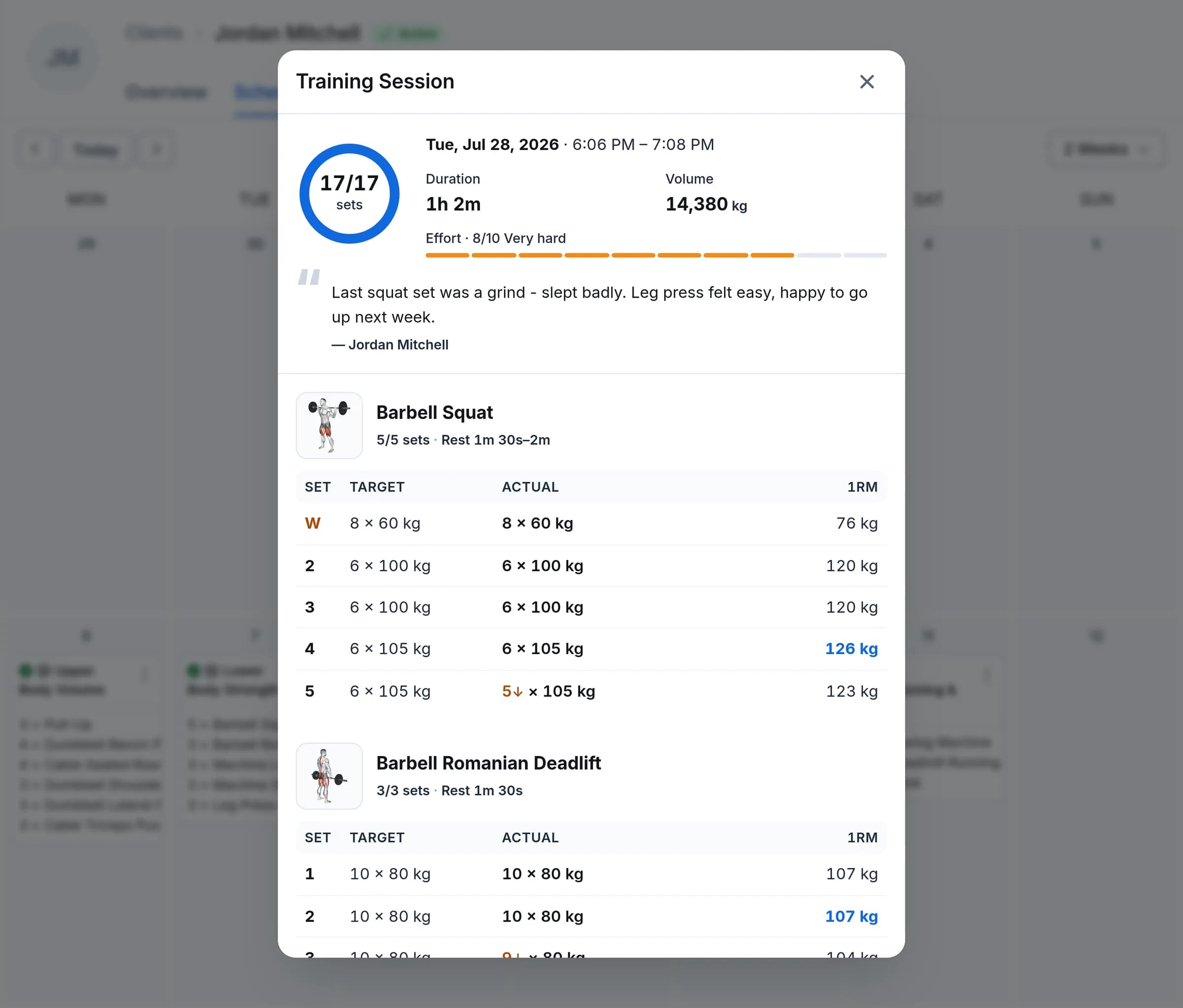
Open any completed session and see your prescription next to what your client logged - set by set, converted to your units, with below-target indicators and an estimated-1RM highlight. The Programs tab rolls it all up automatically: per-program adherence, completed versus due, with a color bar that tells the story in a second.
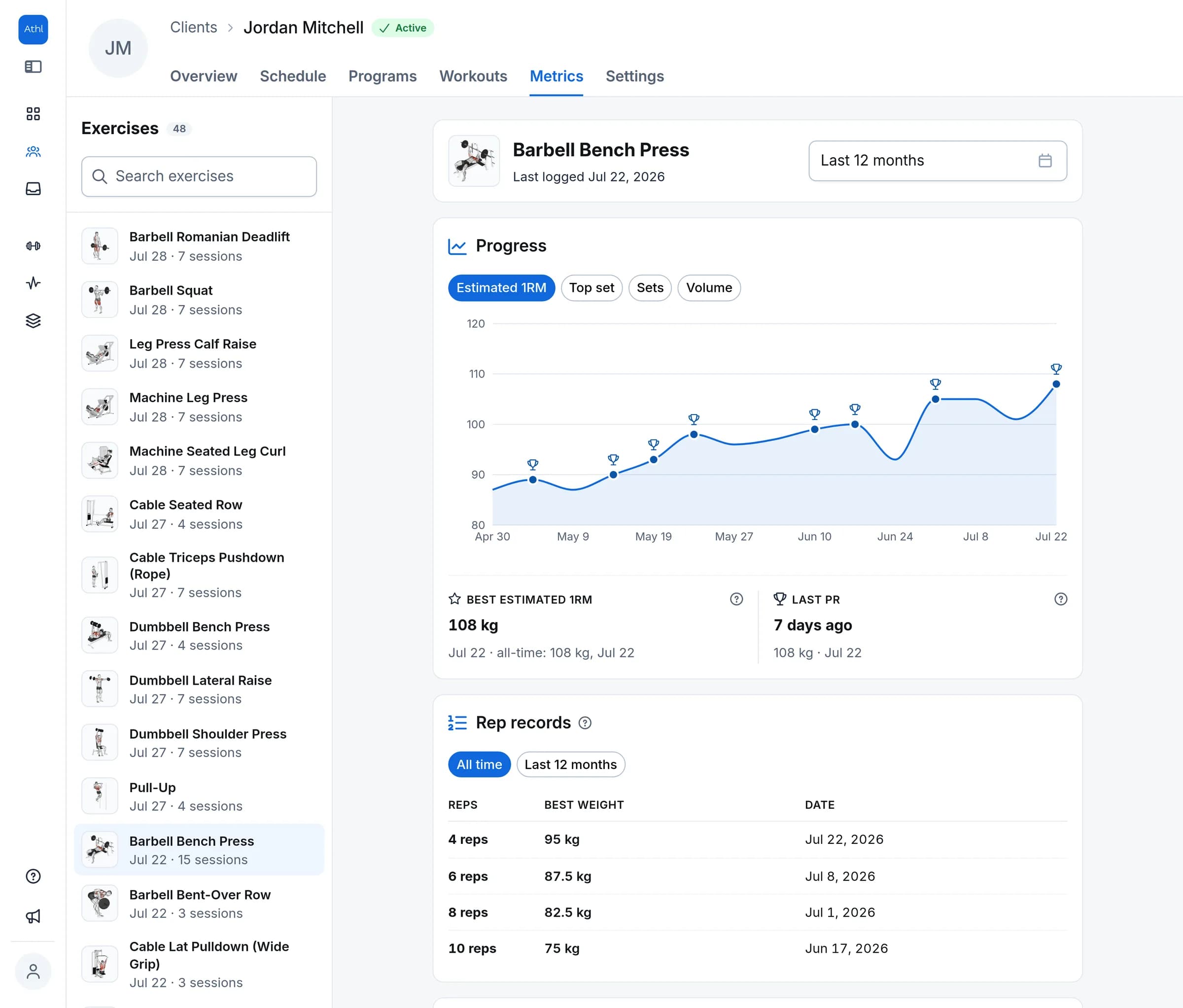
Proof your clients are getting stronger
See how every client is progressing on every lift at a glance, with each personal record called out. You know exactly when to push and when to hold back, and your clients get the proof that their training is paying off - the kind that keeps them coming back.
The profile remembers so you don't have to
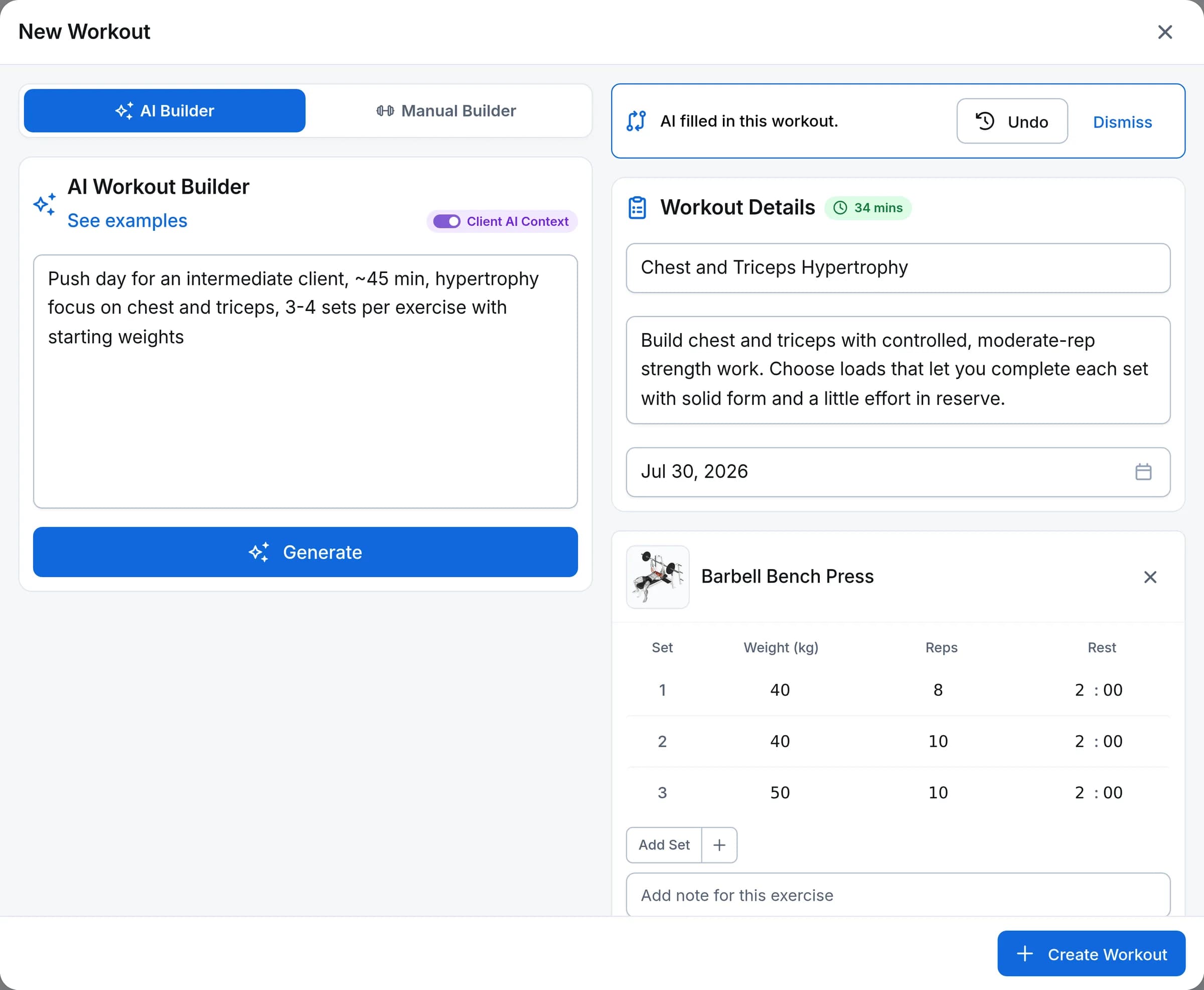
Keep notes on every client and file them by what they are about: a session, an injury, nutrition, admin. They are private to you and they stay on the profile, so the detail you would otherwise forget is waiting there next time. The AI Context field goes one further and feeds the AI workout generator: write down a client's injuries, preferences, and level once, and every workout you generate for them is shaped by it.
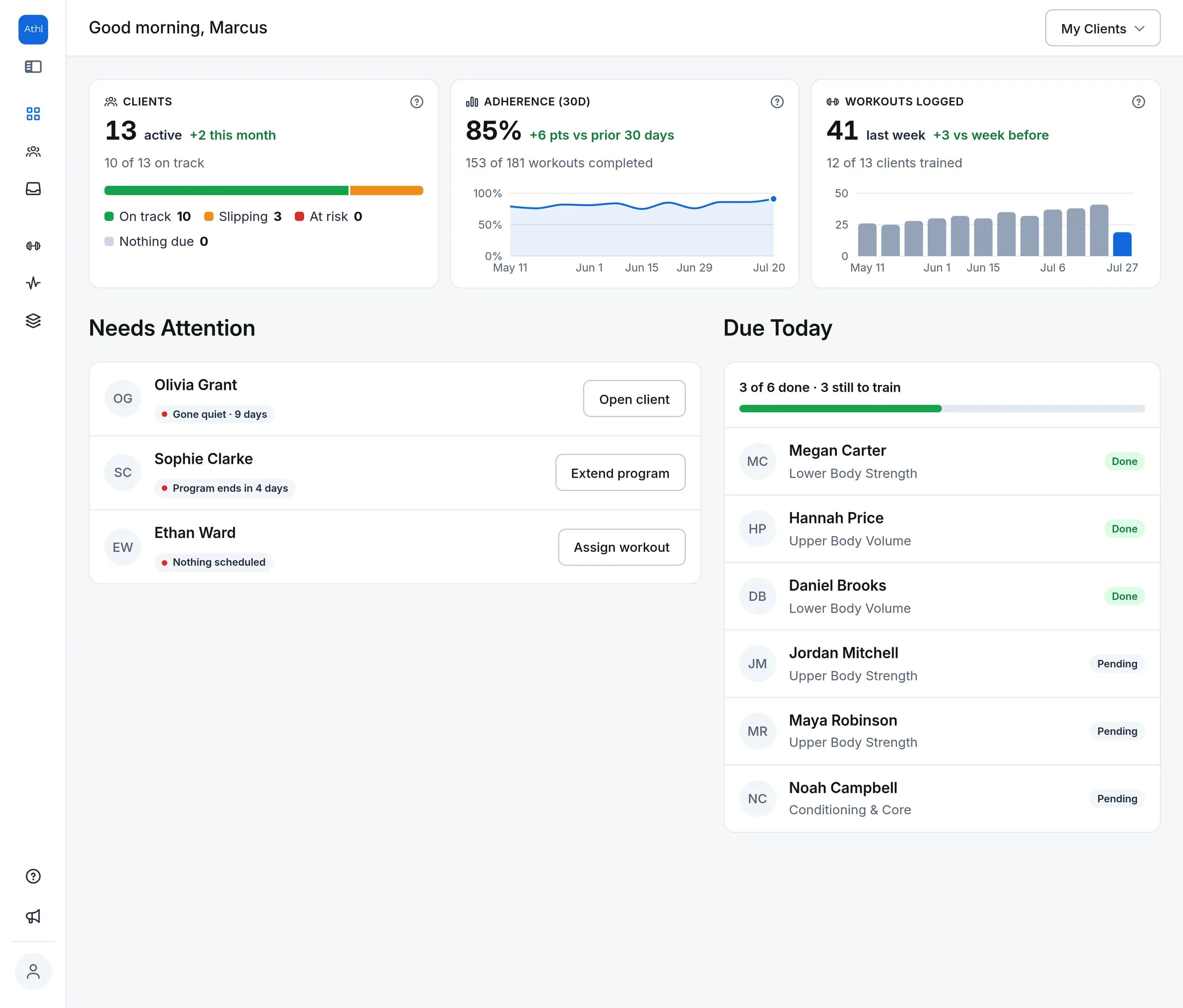
A dashboard that flags who needs you
Open the app to how your clients are training - adherence and workouts logged week by week - and today's sessions as they get done. Best of all, Needs Attention flags anyone who has gone quiet, missed sessions in a row, or is about to run out of program, so nobody quietly falls off your radar.
How it works
- 1
Add the client
Create the profile with contact details, a start date, and a photo - it takes under a minute.
- 2
Send the invite
Invite by email or share a link. Your client signs up with Google or email and their free app connects to everything you assign.
- 3
Coach from one profile
Schedule workouts, review logged sessions, and keep notes - everything about the client on one page.
Frequently asked questions
Is there a limit on how many clients I can have?
On the Free plan, up to 5 clients. On Pro, unlimited - for $29/mo flat, or $24/mo billed annually. Every new account starts with 30 days of full Pro access, no credit card required.
Do I pay more as I add clients?
No. Pro is one flat price with unlimited clients - no per-client fees and no tiers to outgrow. Every client you take on after that is free.
What happens when I archive a client?
Archiving keeps the full history - profile, notes, and logged sessions - without cluttering your active roster. Archived clients live in their own tab on the client list. Deleting is a separate action with its own confirmation, so you never lose history by accident.
Can clients see the notes I keep on their profile?
No. Profile notes are private to you - your client never sees them. The notes you write on a workout or program are different: those are shown to the client in their app.
How do invites work?
Invite a client by email or generate a shareable link - links are secure and expire after 7 days, and you can resend or cancel anytime. Your client signs up with Google or email; their profile shows the invite status - pending, expired, or connected - while your client list tracks who's pending versus connected. The client app is always free for your clients.
Can I see exactly what a client did in a session?
Yes. Open any completed session and see your prescription next to what they actually logged, set by set, converted to your units. Below-target sets are flagged, and each lift's best estimated-1RM set is highlighted.
What is the AI Context field?
A free-text field on each client profile - injuries, preferences, training level, whatever matters. The AI workout generator reads it automatically every time you generate a workout for that client, so you set it once instead of re-typing it in every prompt.
What shows up on the dashboard?
Your whole roster at a glance: the sessions happening today and what is coming up across the week. It also watches for clients with nothing scheduled in the next week and puts them in front of you, so nobody sits without training just because they slipped your mind.
Explore more features
All featuresCoach your first 5 clients free.
Start with 30 days of Pro - unlimited clients and 500 AI credits. No credit card required.