Lightning fastworkout builder.
Program at the speed you think - sets, rest, and the session's real length locked in before the idea goes cold.
- 1,500+exercises in the built-in library
- AIdrafts a full session in seconds
- Auto Unitskg or lb, converted for every client
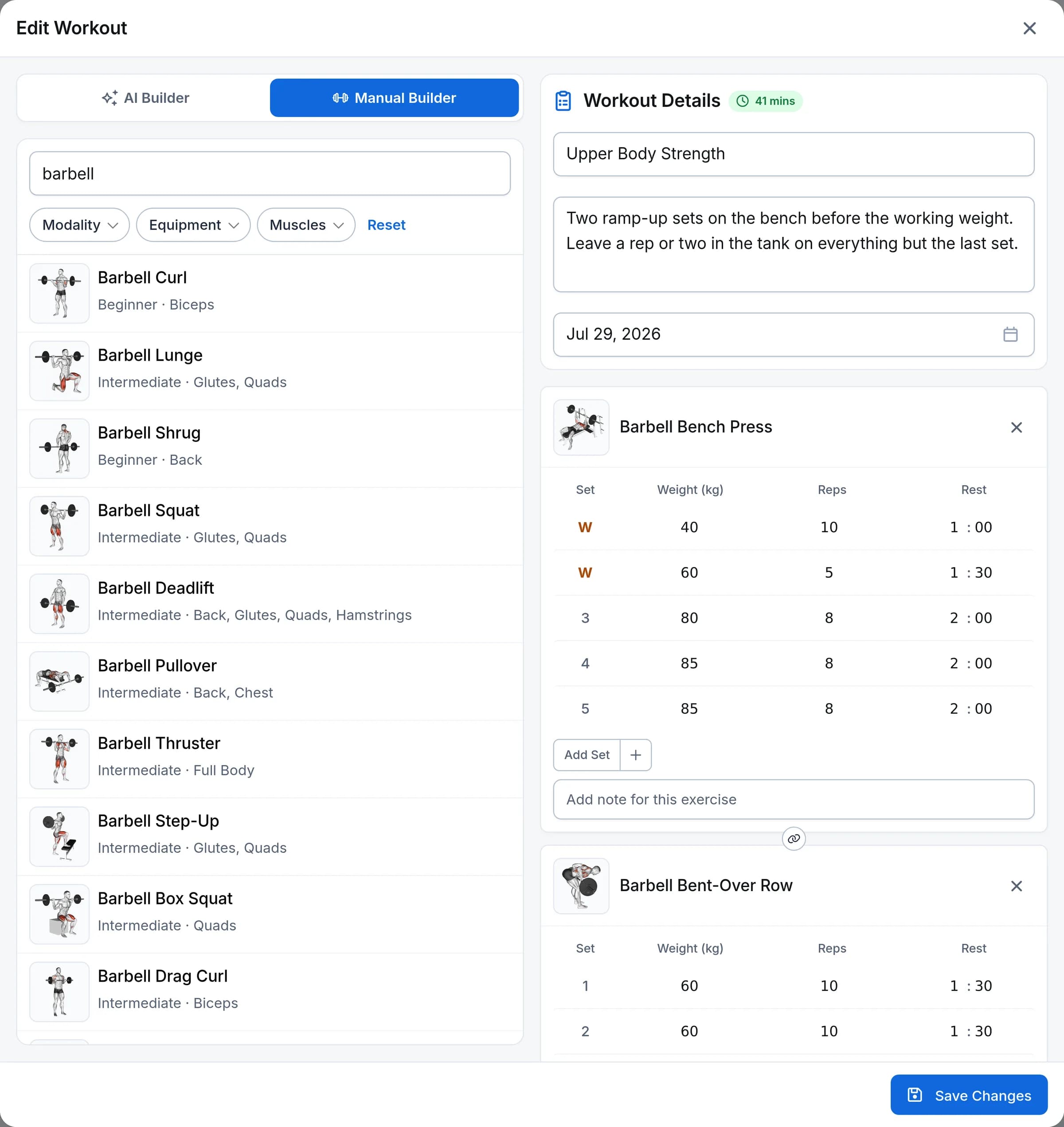
Prescribe every set, not just every exercise
Each set is its own row. Program a light warm-up set, ramp the load, and finish with a top set - the builder shows the right columns for each exercise type, from reps and weight to timed holds and cardio.
- Reps, weight, time, and rest per setFive exercise types with per-set columns that match how each is logged.
- Fast set editingAdd or remove sets in a tap - new sets copy the previous one so you only change what differs.
- Your units, their unitsBuild in kg or lb; every client sees the prescription converted to their own system.
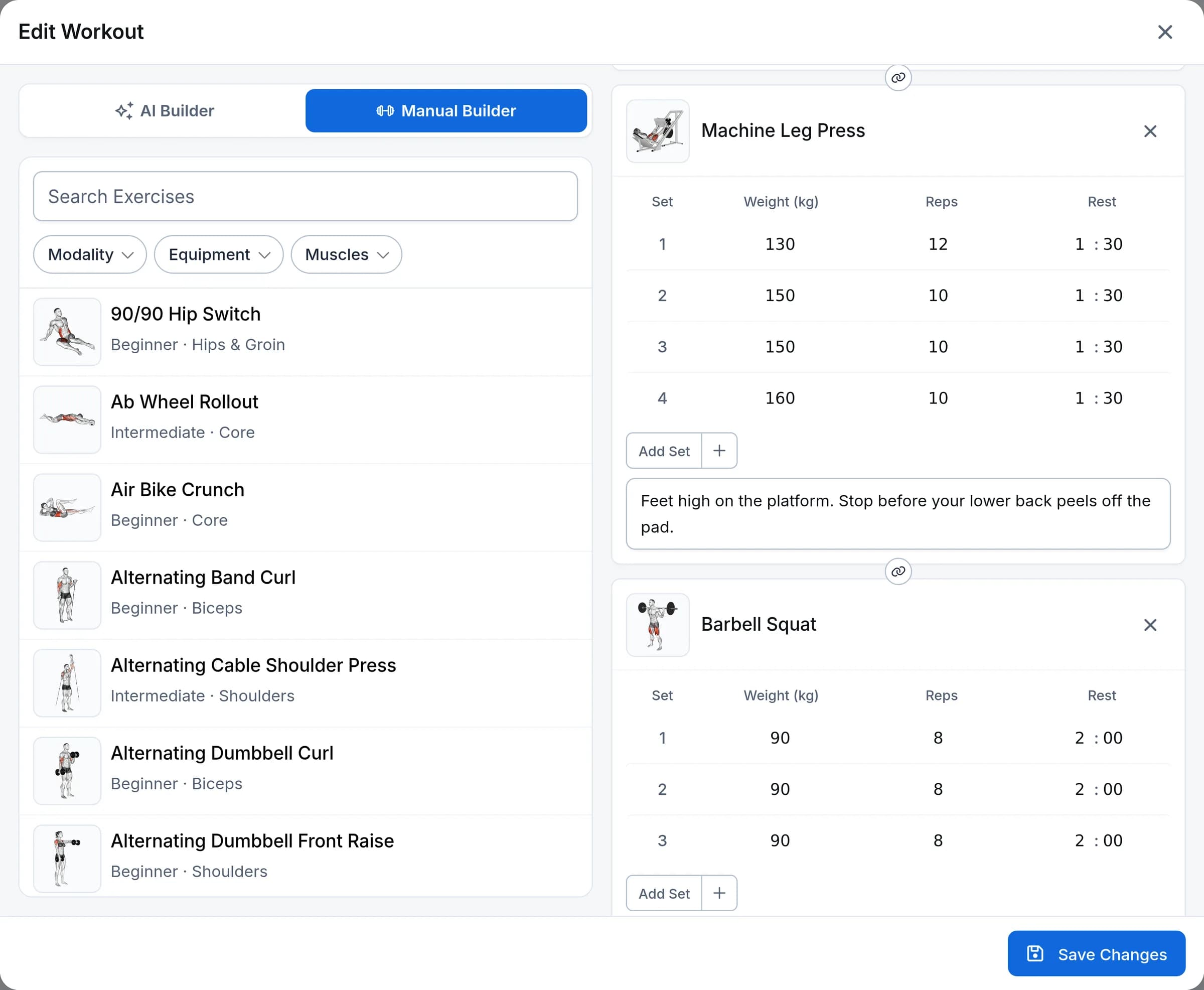
Know how long a session runs before you assign it
A live estimate recalculates as you build - factoring in equipment setup, transitions between stations, rep pace, and the rest you programmed. No more 90-minute sessions that were supposed to fit in an hour.
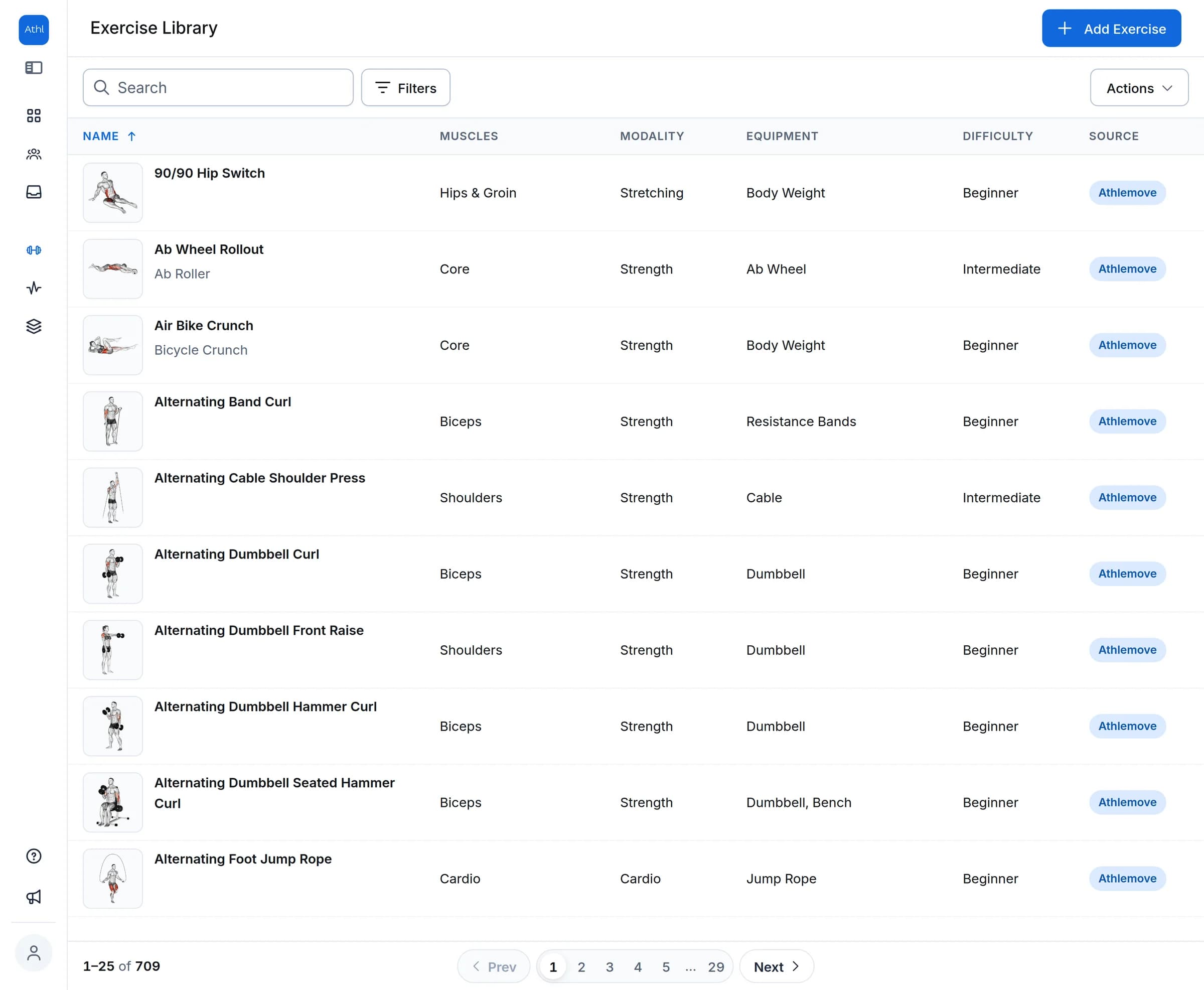
Find the right exercise in seconds
Search 1,500+ built-in exercises by name, or filter by 11 muscle groups and 13 equipment types. Preview instructions and the muscle map before you drop one into the workout - or add your own custom exercises with your own images.
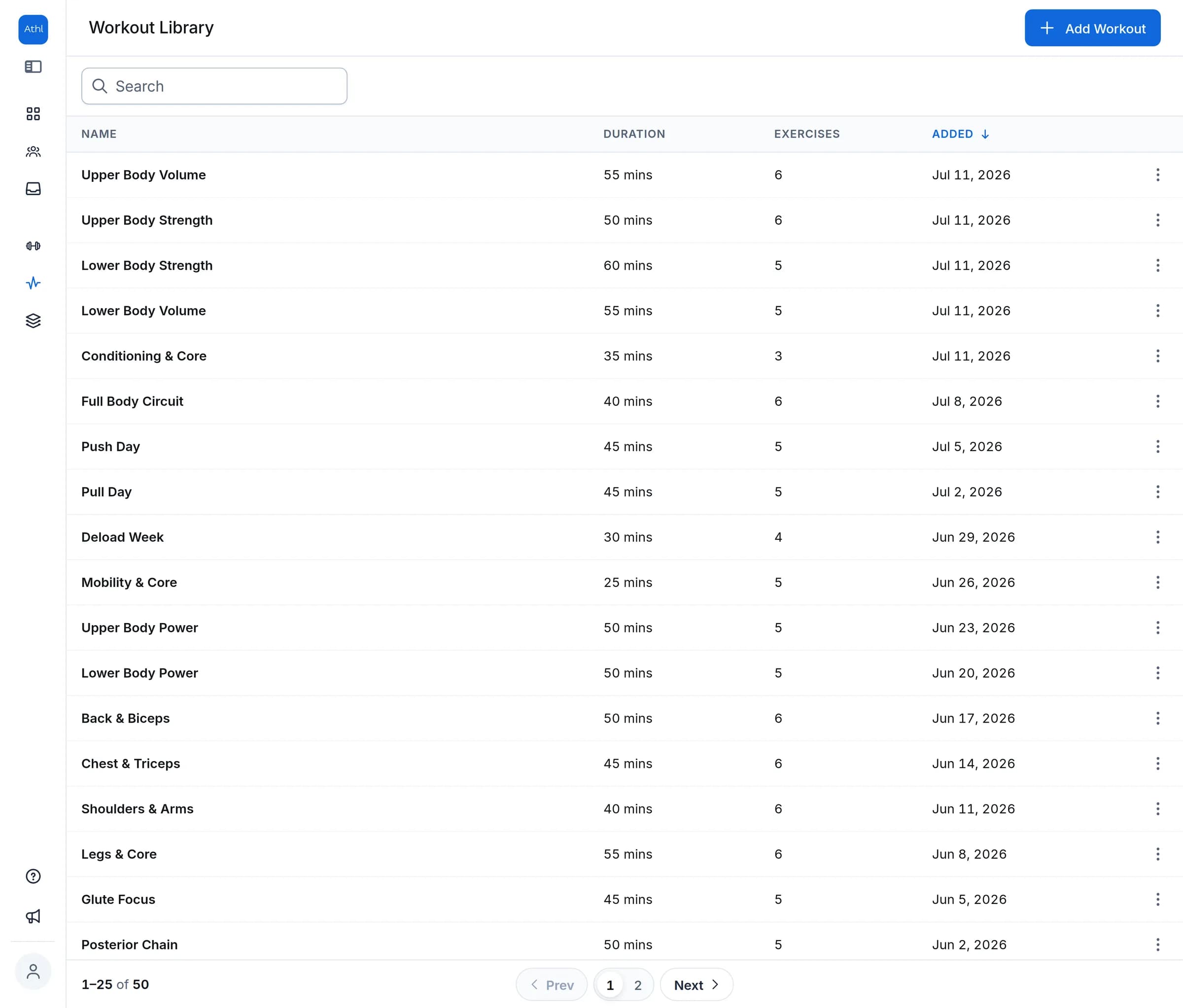
Build it once, assign it forever
Save any workout to your library and reuse it across clients. Assigning creates the client's own copy, so tweaking one client's session never touches your original template. The version in your library stays exactly as you built it, ready for the next client.
- Export any workout to PDFHand a session over on paper - branded with your name and photo, with every set laid out.
Short on time? Let AI draft it
Describe the session in plain English and the AI workout generator drafts it straight into the builder using only real exercises from your library - ready for you to review and edit.
How it works
- 1
Drag exercises in
Search or filter the library and drag exercises straight into the workout, in the order you want.
- 2
Dial in the sets
Set reps, weight, time, and rest for every set, and watch the duration estimate update live.
- 3
Assign it
Drop the workout on a client’s calendar or save it to your library to reuse with the next client.
Frequently asked questions
Can I prescribe different weights or reps for each set?
Yes. Every set is its own row with its own reps, weight, time, and rest - so set one can be a light warm-up and the last set a heavy top set. When you add sets, the new set copies the previous one so you only change what differs.
What types of exercises can I program?
Five types: reps only, reps and weight, time, weight and time, and cardio. The builder shows the right columns for each - a timed plank gets a duration, a cardio interval gets time, and a squat gets reps and weight.
Does the builder support supersets or circuits?
Yes. Click the chain between two exercise cards to link them into a superset, and keep linking to build a triset or a circuit of up to five exercises. Your client works through it round by round, one set of each exercise before resting, and the PDF export prints it as one block. Ask the AI builder for supersets and it will set them up for you.
How does the session duration estimate work?
The estimate recalculates live as you build. It accounts for equipment setup time (a barbell takes longer to set up than a bodyweight movement), transitions between different equipment, rep pace scaled by exercise difficulty, timed work, and the rest you programmed between sets.
Can I add my own exercises?
Yes. Create custom exercises with a name, instructions, exercise type, difficulty, muscle groups, equipment, and your own image. They appear in the builder and in AI-generated workouts alongside the built-in library.
Does it work in kg and lb?
Yes. You build in your preferred unit system, and every client sees weights converted to theirs - a program written in kg shows up in lb for a client who prefers imperial.
Can I export a workout as a PDF?
Yes. Any workout or saved template exports to a PDF branded with your name, business name, and photo - useful for an in-person session, a printed handout, or a client who doesn’t want an app. Every exercise keeps its per-set weights, reps, and rest, your workout note comes across formatted, and you can add a prepared-for line with the client’s name. It works on every plan.
Do I have to rebuild my spreadsheet workouts?
No. Paste a workout in as plain text and the AI structures it into real exercises with sets, reps, and rest - so moving an existing library over is mostly copy, paste, review. From there, save the keepers to your workout library and duplicate them as the starting point for the next one.
Explore more features
All featuresCoach your first 5 clients free.
Start with 30 days of Pro - unlimited clients and 500 AI credits. No credit card required.